

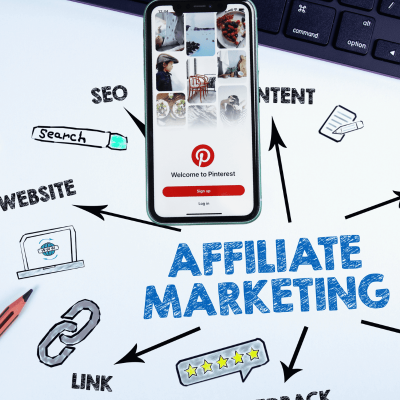
Your Plain English Roadmap
You want to start affiliate marketing on Pinterest without a blog, but you’re stuck on the “how.”
No website.
No funnel.
Just a desire to help people and earn a little income.
And the dreaded questions: Where does this link go? What do you post? Is this even allowed?
I’ve been there. I wasn’t new to marketing, but Pinterest felt like a different planet. I uploaded a few pins, guessed at titles, and hoped for magic. Nothing.
When I finally learned how Pinterest search works… and how to link smartly even without a website… everything clicked.
If you want know how to use affiliate marketing on Pinterest without a blog, use this as your plain English roadmap.
Affiliate Marketing on Pinterest Without a Blog (Step-by-Step)
(Affiliate Marketing For Beginners)
Step 1: Pick a Tiny Problem You Can Help Solve
Start with one outcome (e.g., “soft gingerbread cookies,” “journal prompts for anxiety,” “start a budget”). This keeps your pins useful and points people to the right products. If you’re wondering what is affiliate marketing at its core… it’s recommending helpful products and earning a commission when someone buys through your link.
Step 2: Join 1-3 Beginner Friendly Affiliate Marketing Programs
Pick programs that allow social/post linking. (Always read the policy.) Examples: creator platforms, digital marketplaces, courses, and many stores. If you’re considering Amazon affiliate marketing on Pinterest, be sure your account is approved for social and follow Amazon’s rules.
Tip: As you learn affiliate marketing, take notes on each program’s rules: disclosures, where links are allowed, and whether link shorteners are banned. Read this for help finding beginner friendly affiliate marketing programs.

Step 3: Choose Where Your Pin Will Link (No Blog Needed)
Pinterest lets you attach one destination URL to each pin. Here are solid options:
- YouTube video (great for tutorials + reviews)
- Facebook group join group (grow your community)
- Instagram post or reel permalink
- TikTok video permalink
- Podcast episode page
- Link-in-bio hub (Linktree, Beacons, Stan store)
- Etsy/Shopify/eBay product or store page
- Gumroad/Payhip/Ko-fi product page
- Thinkific/Teachable course landing page
- Substack post or signup page
- Direct affiliate link (only if your program allows linking from Pinterest)
Can you link to a Facebook post? Technically yes (use the post’s permalink), but groups and dedicated landing pages usually convert better. Avoid generic homepages when possible… send people to a specific resource.
Step 4: Make 1-3 Simple Pins in Canva
Create clean images that promise a result, not a vibe. (Save the digital marketing creative ads energy for testing later.)
You can design your pins directly in Canva.
- Title on image = result + who (e.g., “Soft Gingerbread Cookies (Beginner Recipe)”)
- Use readable fonts and strong contrast
- One idea per pin
Step 5: Upload Your Pin (The Anatomy)
- Title: match real searches (e.g., “How to earn money on pinterest with journal prompts”)
- Description: 2-3 sentences with natural keywords. Include a plain language disclosure (example below).
- Board: choose a board that fits your topic (not a junk drawer board)
- Link: paste your destination URL (no spammy shorteners)
For help with this, see How to post on Pinterest.
Step 6: Disclose Clearly (Copy This)
This pin contains affiliate links, which means I may earn a small commission if you purchase… at no extra cost to you. I only share what I use and love.
Add #ad or #affiliate at the end of your description if your program requires it.
Step 7: Rinse, Space, and Stay Consistent
- Don’t recycle the same URL more than every ~7 days on new pins.
- Vary images, angles, and descriptions.
- Watch Pinterest analytics for saves, clicks, and comments… those signal you’re helping.
To get a better understanding about what effects Pinteres analytics, see Pinterest SEO for beginners.
10 No-Blog Link Ideas (with benefits)
- YouTube review/tutorial → builds trust + long-form value
- Facebook group → community growth + recurring engagement
- Instagram reel/post → social proof + quick tips carousel
- TikTok → discovery + short demos
- Podcast episode → deeper teaching + relationship
- Linktree/Beacons/Stan → one URL, many offers (great starter hub)
- Etsy/Shopify → direct product discovery (perfect for niche shops)
- Gumroad/Payhip → instant delivery for printables/mini guides
- Course landing page → education-first offers (think “try a free lesson”)
- Direct affiliate link → fastest route to the product (only if allowed)
Bonus: A quick “mini-site” idea… if you want a simple page before your blog exists…
With PageWheel, you can have a landing page up and running super fast. (Use SUSIEQ10 for a discount)
What to Post (Pin Angles That Convert)
- “How to…” mini-tutorials (teach one step)
- “Before/after” problem → outcome
- Comparison mini-guides (A vs B for beginners)
- Checklist/cheat sheet pin (promise a quick win)
- Story pin (what worked for me + tool I used)
This is the heart of how to sell on Pinterest: solve a problem first, then recommend the product that helps.
For help with Pinterest titles, see Pinterest SEO titles, fill in the blank templates.
Compliance & Best Practices (Read This)
- Always follow your program rules (some ban link shorteners or require specific disclosures).
- Use your real destination URL (no cloaking).
- Avoid making income claims.
- Keep titles human, not stuffed.
- If something gets flagged, recheck the URL and description.
Pinterest Affiliate Marketing No Blog: 7-Day Quickstart
Day 1: Pick one tiny problem to help with (journal prompts for anxiety, easy weeknight dinners, etc.)
Day 2: Join 1-2 affiliate marketing programs that allow social links
Day 3: Script a 90-second YouTube/TikTok or write a helpful Instagram caption
Day 4: Design 3 pins in Canva (one headline, three looks)
Day 5: Publish pins → link to your chosen destination + add disclosure
Day 6: Make two more pins for the same destination (new angles/images)
Day 7: Review analytics; keep what worked, tweak what didn’t
If you want deeper help, a good affiliate marketing course can shorten your learning curve… and a simple affiliate marketing business starts with these exact steps.
Tools I Actually Use (Beginner Friendly)
- PinClicks for real Pinterest keywords (so your titles match search)
- Spyfu for all around keywords. I use this everyday for my blog.
- Canva for quick pin designs
- Pinterest Marketing Academy (this is where the platform finally “clicked” for me)
- Optional schedulers if you batch: Pinterest native, Metricool, or Tailwind
Final Thoughts
You do not need a website to start. I didn’t. You can begin today with one helpful pin that leads to a resource people already want. As your confidence grows, you can add a blog later to scale and capture email subscribers. Start small, be honest, help first… income follows service.
Until next time…